
Más info en la web del autor http://www.jroller.com/ouertani/entry/how_to_create_heartbeat_chart
-Edit index.html:
<!DOCTYPE HTML PUBLIC "-//W3C//DTD HTML 4.01 Transitional//EN">
<html>
 <head>
 <meta http-equiv="Content-Type" content="text/html; charset=UTF-8">
 <link rel="stylesheet" type="text/css" href="ext/resources/css/ext-all.css">
 <script type="text/javascript" src="ext/adapter/ext/ext-base.js"></script>
 <script type="text/javascript" src="ext/ext-all-debug.js"></script>
 <script type="text/javascript" src="index.js"> </script>
 </head>
 <body>
 <div id="chart"></div>
 </body>
</html>
-Edit index.js :
Ext.onReady(function(){

 var store = new Ext.data.Store({
 header :Ext.Ajax.defaultHeaders = {
 'Accept': 'application/json'
 },
 proxy: new Ext.data.HttpProxy({
 url: '/heartbeat/resources/microMarkets/'
 }),
 reader: new Ext.data.JsonReader({
 root:'microMarket'
 },
 [{
 name: 'areaLength'
 }, {
 name: 'areaWidth'
 } ]),
 fields : [{
 name: 'areaLength',
 type : 'double'
 }, {
 name: 'areaWidth',
 type : 'double'
 }]

 });


 store.load();

 var chart = new Ext.chart.LineChart({
 height: 300,
 width: 600,
 store: store,
 xField: "areaLength",
 yField: "areaWidth",
 renderTo: "chart"
 });

 var storerefresh = {
 run: function(){
 store.load();
 },
 interval: 10000 //1 second
 }
 Ext.TaskMgr.start(storerefresh);

});
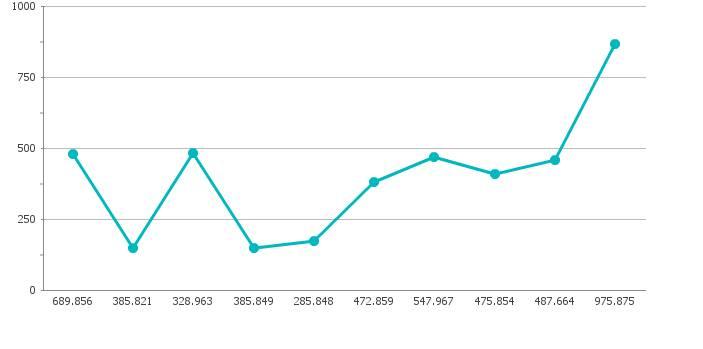
-Run project, change your data in database will auto update chart.
 Un poco de Java
Deja un comentario